A proxy server acts as a gateway between your device and the internet, handling requests on your behalf so the websites you visit never see your real IP address. If you’ve been wondering why use a proxy server, the short answer is control. Control over your privacy, your security, and how your data moves across the web. Businesses, developers, and everyday users rely on proxy servers to add a protective layer between themselves and the open internet. But the real value goes well beyond just hiding an IP address. From content access to network performance, proxy servers solve a wide range of problems that most people encounter daily without realizing a simple intermediary could fix them.
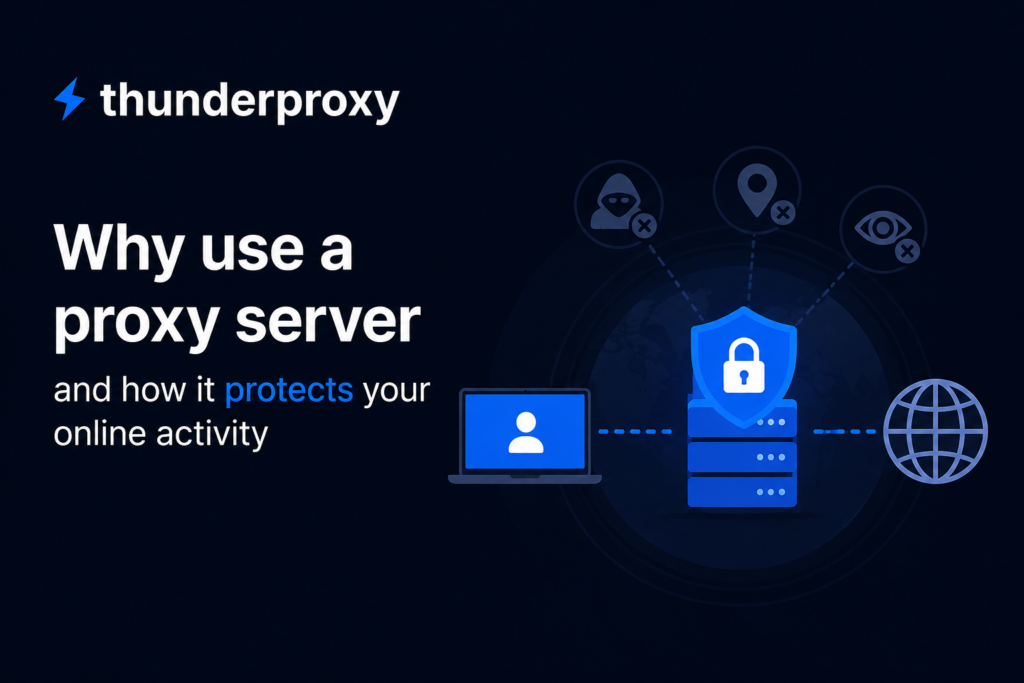
How a proxy server works
Every time you type a URL or click a link, your device sends a request directly to that website’s server. A proxy server intercepts that request before it reaches the destination. It forwards the request using its own IP address, receives the response, and sends it back to you. The target server only sees the proxy, not your device. This simple redirection gives you the ability to mask your identity, filter content, cache data, and monitor traffic, all without changing anything on the websites you visit. Proxies operate at different layers of the network stack depending on their type, which means some handle raw data packets while others work specifically with web traffic like HTTP and HTTPS requests.
Privacy and anonymity online
One of the primary reasons people turn to proxy servers is privacy. Your IP address reveals your approximate location, your internet service provider, and can be used to track your browsing habits across sites. A proxy replaces your IP with its own, making it significantly harder for advertisers, data brokers, and third parties to build a profile on you. This is particularly valuable for journalists, researchers, and activists operating in regions where internet surveillance is aggressive. Even for casual users, routing traffic through a proxy limits the amount of personal data exposed with every page load. It’s a straightforward way to reclaim some degree of anonymity without overhauling your entire setup.
Security benefits of using a proxy server
Proxy servers can act as a buffer between your internal network and potentially harmful content on the internet. Organizations use them to inspect incoming traffic for malicious payloads, block known phishing domains, and prevent employees from accidentally downloading harmful files. Some proxy configurations encrypt your requests, adding another layer of protection against eavesdropping, especially on public Wi-Fi networks where data interception is common. By filtering traffic at the proxy level, threats can be identified and stopped before they reach individual devices on the network. This makes proxies a practical component of any layered security strategy, particularly for businesses managing dozens or hundreds of endpoints.
Blocking malicious websites
Proxies can maintain updated blacklists of dangerous domains and automatically prevent any device on the network from connecting to them. When a user tries to visit a flagged URL, the proxy blocks the connection and returns a warning instead. This reduces the risk of phishing attacks, ransomware downloads, and credential theft. IT teams can configure these filters based on threat intelligence feeds, keeping the blacklist current without manual intervention. For companies that handle sensitive customer data, this kind of automated filtering is a practical line of defense that works quietly in the background.
Preventing data leaks
Outbound traffic monitoring through a proxy lets organizations detect when sensitive information is being transmitted outside the network. If an employee accidentally (or intentionally) tries to upload confidential files to an unauthorized cloud service, the proxy can flag or block that transfer. This is particularly relevant for industries with strict compliance requirements like finance, healthcare, and legal services. By inspecting outgoing requests, proxies give security teams visibility into what data is leaving the network and where it’s going.
Multi-region access and localization testing
Internet experiences often vary by region. Websites, applications, advertisements, pricing, language settings, and content availability can differ depending on a user’s location. A proxy server located in another region allows businesses and developers to view online experiences from different geographic locations for legitimate testing and research purposes.
Organizations use regional proxies to verify ad delivery, test website localization, conduct market research, monitor search results across locations, and ensure that digital products function correctly for users worldwide. This helps teams identify regional issues, validate user experiences, and support international operations without requiring users to be physically present in each market.
When used responsibly and in accordance with applicable laws, platform terms, and service agreements, proxies can be a practical tool for quality assurance, analytics, fraud prevention research, and global website testing.
Improved network performance and bandwidth savings
Proxy servers can cache frequently accessed web pages, images, and files. When multiple users on the same network request the same resource, the proxy serves it from its local cache instead of fetching it from the origin server again. This reduces bandwidth consumption, lowers latency, and speeds up page load times, especially in environments with hundreds of users like offices, schools, and universities. Caching proxies are particularly effective for static content that doesn’t change often, such as company intranet pages, documentation portals, and software update repositories. The performance gains compound as network size grows, making proxy caching a cost-effective way to optimize limited bandwidth.
Types of proxy servers and their use cases
Not all proxies function the same way. The type you choose depends entirely on what you’re trying to accomplish. Understanding the differences helps you pick the right tool for the task.
Forward proxies
A forward proxy sits between client devices and the internet. It’s the most common type and the one most people think of when they hear the word “proxy.” Users send their requests to the forward proxy, which then communicates with external servers on their behalf. This setup is widely used in corporate environments for content filtering, access control, and monitoring employee internet usage. It’s the standard configuration for managing outbound traffic from an internal network.
Reverse proxies
A reverse proxy sits in front of one or more web servers and intercepts incoming requests from the internet. Instead of protecting the client, it protects the server. Reverse proxies distribute traffic across multiple backend servers (load balancing), cache content to reduce server strain, and shield the origin server’s IP address from direct exposure. Major websites and web applications depend on reverse proxies to handle high volumes of traffic without overloading any single server. Nginx and Apache are commonly configured as reverse proxies in production environments.
Transparent proxies
Transparent proxies intercept traffic without requiring any configuration on the client side. Users often don’t know they’re being routed through one. Schools, libraries, and public Wi-Fi providers frequently deploy transparent proxies to enforce acceptable use policies or cache content at the network level. Because they don’t modify requests in a way that hides the user’s IP, they’re not useful for anonymity, but they’re effective for content filtering and bandwidth management at scale.
Residential and datacenter proxies
Residential proxies use IP addresses assigned by internet service providers to real household devices, making their traffic appear as regular consumer browsing. Datacenter proxies, by contrast, use IPs from cloud hosting providers. Residential proxies are harder to detect and block, which makes them preferred for tasks like web scraping, ad verification, and accessing services with aggressive anti-bot measures. Datacenter proxies are faster and cheaper but more easily identified and blocked by sophisticated websites. The choice between them depends on whether speed or authenticity matters more for your specific use case.
When businesses should consider using a proxy server
Any organization that wants more control over its internet traffic has a reason to deploy proxy servers. E-commerce companies use them to monitor competitor pricing across regions. Marketing agencies route traffic through proxies to verify that ads display correctly in different markets. Development teams test localized versions of applications without physically being in the target country. Security teams use proxies as an inspection point for both inbound and outbound traffic. Even small businesses benefit from proxy-based content filtering to maintain productivity and reduce exposure to web-based threats. The barrier to entry is low, the configuration is flexible, and the operational benefits are immediate.
Misconceptions about proxy servers
People sometimes compare proxies with VPNs. While both route traffic through an intermediary, a VPN encrypts the entire connection between your device and the VPN server, while most proxies do not. Proxies work at the application level (typically the browser), whereas VPNs operate at the operating system level, covering all network traffic. Another misconception is that proxies make you completely invisible online. They mask your IP address, but they don’t prevent fingerprinting techniques based on browser configuration, screen resolution, or installed fonts. Proxies are a powerful tool, but they work best as part of a broader privacy and security setup rather than a standalone solution.
Choosing the right proxy server for your needs
Selecting a proxy comes down to three questions: what problem are you solving, how much traffic will you route through it, and what level of anonymity do you need? Free proxies exist, but they come with risks, including slow speeds, unreliable uptime, and the possibility that the proxy operator logs and sells your data. Paid proxy services from reputable providers offer dedicated IPs, faster connections, better uptime guarantees, and clear privacy policies. For business use, self-hosted proxy solutions give you full control over configuration, logging, and security policies. Match the proxy type and provider to the specific task, and you’ll get reliable results without unnecessary complexity.